Getting married is one of life’s biggest milestones but alongside the celebrations comes a stack of admin. One task many people overlook is notifying HM Revenue & Customs. Whether you are employed, self-employed, or a sole trader, completing an HMRC change name after marriage update is an essential step that keeps your tax records accurate, your payslips correct, and your National Insurance account in good order.
This guide walks you through everything you need to know: why the update matters, which documents you’ll need, the exact steps to follow, and what can go wrong if you leave it too long. We’ve covered every scenario from straightforward UK marriages to ceremonies abroad so you can get it done with confidence.
Does HMRC Automatically Change Your Name After Marriage?
No. HMRC does not automatically update your name following a marriage. You must notify them directly either online through your Personal Tax Account, via the HMRC app, by telephone, or by post. Until you do, your records will continue to show your previous name, which can cause discrepancies with payroll, pension providers, and National Insurance.
This is one of the most common misconceptions among newly married people in the UK. Because the General Register Office (GRO) records the marriage, many assume government departments share information automatically. They don’t at least not with HMRC. Your tax and National Insurance records are maintained separately, and it is your responsibility to trigger any update.
The same applies whether you’ve taken your spouse’s surname, hyphenated both names, or chosen an entirely different name using a deed poll. In every case, you need to complete an HMRC name change due to the marriage update directly.
Why Updating HMRC After Marriage Matters?
It might be tempting to leave it for a few weeks especially when settling into married life but letting your HMRC records drift out of date can cause real problems:
- Tax code errors: If HMRC’s records don’t match your employer’s payroll system, it can trigger incorrect tax codes and lead to over- or underpayments.
- Self Assessment complications: For the self-employed and sole traders, a name mismatch between your UTR (Unique Taxpayer Reference) records and your bank or Companies House records can create confusion at filing time.
- National Insurance discrepancies: Your NI record is linked to your name and NI number. An outdated name can sometimes delay benefit claims or pension top-up verifications.
- Identity and credit checks: Lenders and landlords often cross-reference HMRC and electoral roll data. Mismatched names can slow down mortgage applications.
- Payslip mismatch: If your employer updates their payroll before HMRC does, your payslips may temporarily show a name that doesn’t align with your tax records.
What Documents Do You Need to Change Your Name With HMRC?
The primary document required for an HMRC name change marriage is your official marriage certificate, the one issued by the register office, not a ceremonial copy. For name changes unrelated to marriage, a deed poll (statutory or enrolled) is the standard document required.
| Document | When Required | Notes |
| Marriage Certificate | Name change due to marriage | Must be the register office copy, not a commemorative version |
| Deed Poll | Name change by choice (not marriage) | Statutory or enrolled deed poll both accepted |
| Civil Partnership Certificate | After civil partnership | Same process as marriage contact HMRC directly |
| Overseas Marriage Certificate | Married abroad | May require a certified English translation |
| NI Number | All scenarios | Keep this to hand when contacting HMRC |
How to Change Your Name With HMRC After Marriage? (Step-by-Step)
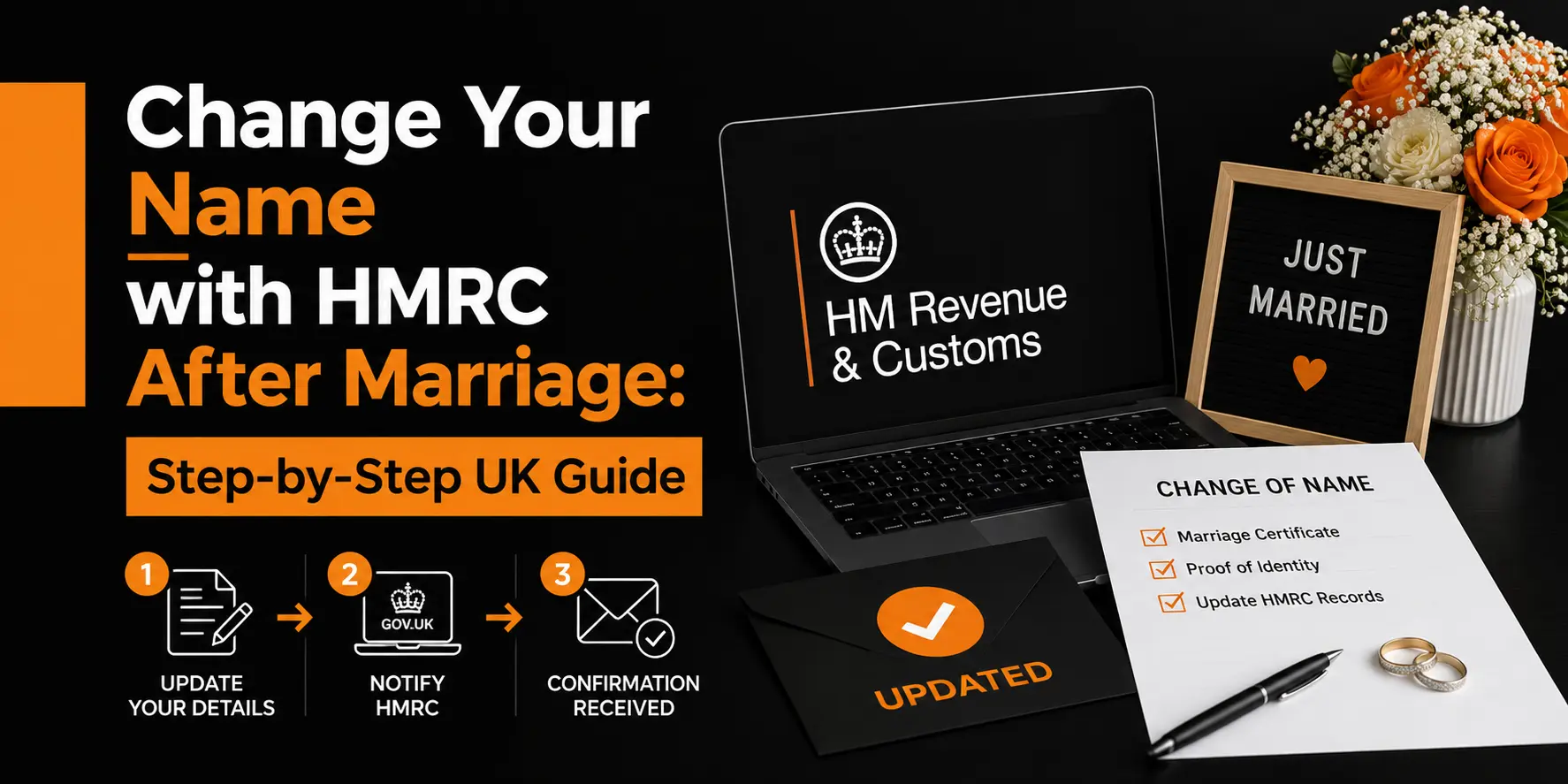
To change name after marriage HMRC: (1) Gather your marriage certificate and NI number. (2) Log in to your Personal Tax Account at gov.uk/personal-tax-account or use the HMRC app. (3) Navigate to ‘Personal details’ and update your name. (4) Upload or post your marriage certificate as evidence. (5) Wait for confirmation usually 2 to 4 weeks.
The Correct Order to Update Your Name After Marriage
Before contacting HMRC, it is worth thinking about the sequence of updates across all your accounts. Doing them in the right order makes the whole process smoother:
- Obtain your marriage certificate from the register office.
- Update your passport this is often the most useful proof-of-name document going forward.
- Update your driving licence with the DVLA.
- Notify your bank and financial institutions.
- Contact HMRC using the methods below.
- Inform your employer’s HR or payroll department.
- Update pension providers, insurers, and other government departments (DWP, local council, etc.).
HMRC is listed at step five deliberately. Updating your passport or driving licence first gives you a strong, widely accepted proof document should HMRC or your employer request one.
Method 1: Online via Your Personal Tax Account
Changing name with HMRC after marriage online is the quickest route for most people:
- Go to gov.uk/personal-tax-account and sign in using your Government Gateway ID.
- Select ‘Personal details’ from your account dashboard.
- Choose ‘Change name’ and enter your new name exactly as it appears on your marriage certificate.
- Upload a scanned or photographed copy of your marriage certificate if prompted.
- Submit and make a note of any reference number provided.
Method 2: HMRC App
The HMRC app (available on iOS and Android) allows you to update personal details, including your name. Log in using your Government Gateway credentials, navigate to ‘Your profile’, and follow the on-screen prompts. This method is particularly convenient if you’ve already verified your identity within the app.
Method 3: By Telephone
If you prefer to speak to someone, call the HMRC Income Tax helpline:
- PAYE / Income Tax: 0300 200 3300 (Monday to Friday, 8am to 6pm)
- Self Assessment: 0300 200 3310
- Have your NI number, current address, date of birth, and marriage certificate to hand.
Method 4: By Post
You can write to HMRC enclosing a certified copy of your marriage certificate. Address your letter to the HMRC office shown on your most recent tax code notice or Self Assessment statement. Include your full name (old and new), National Insurance number, date of birth, and address. Postal updates are the slowest option allowing at least four to six weeks for processing.
How Long Does HMRC Take to Update Your Name?
HMRC typically takes 2 to 4 weeks to update your name following an online or phone submission. Postal requests can take 4 to 8 weeks. Once the update is processed, you’ll receive a new tax code notice in your updated name.
| Method | Estimated Processing Time | Confirmation Sent By |
| Online (Personal Tax Account) | 2 to 4 weeks | Letter or online notification |
| HMRC App | 2 to 4 weeks | Online notification |
| Telephone | 2 to 4 weeks | Letter to registered address |
| Post | 4 to 8 weeks | Letter to registered address |
Is the Process Different?(Employee vs Self-Employed)
Employees Under PAYE
If you’re employed and taxed under PAYE, you have two tasks: update HMRC and update your employer. They are separate steps, and one does not automatically trigger the other.
- Notify HMRC directly using any method above.
- Submit a copy of your marriage certificate to your HR or payroll department.
- Your employer will update their payroll records and inform HMRC through Real Time Information (RTI) submissions.
- A temporary name mismatch between your payslip and HMRC is normal and will resolve within a pay cycle or two.
Self-Employed Individuals and Sole Traders
For anyone who is self-employed or operating as a sole trader, the process runs slightly differently:
- Update your Self Assessment registration. Your name on tax returns, UTR records, and correspondence must all match.
- If you trade under a business name, only your personal HMRC details need updating, not necessarily the trading name.
- If you’re registered for VAT, update your VAT registration separately through your VAT online account.
- Directors of limited companies must update Companies House separately; it is not linked to HMRC.
Which Do You Need?(Marriage Certificate vs Deed Poll)
| Scenario | Document Required | Notes |
| Taking spouse’s surname after UK marriage | Marriage certificate | Standard requirement register office copy |
| Hyphenating surnames after marriage | Marriage certificate | HMRC accepts hyphenated names |
| Changing to a completely different name | Deed poll | Not marriage-related deed poll required |
| Name change after civil partnership | Civil partnership certificate | Same process as marriage |
| Name change after overseas marriage | Overseas marriage certificate | Certified English translation may be required |
What You Need to Know?(Married Abroad)
If you married outside the UK, HMRC will still accept your overseas marriage certificate as evidence but there are a few additional considerations:
- The certificate must be an official government-issued document from the country where you married.
- If the certificate is not in English, you’ll need a certified translation from a professional translator. This is non-negotiable for HMRC.
- Some countries issue apostille-stamped documents, which are accepted as internationally verified legal documents. Include the apostille with your submission.
- If you have difficulty obtaining an acceptable translation, contact HMRC’s helpline for guidance before submitting documentation.
The name change process itself follows the same steps online, phone, or post regardless of where the marriage took place.
Why HMRC and Your Payroll Records Might Not Match?
One of the most common concerns raised by newly married employees is a mismatch between their payslip name and their HMRC records. This usually happens for one of three reasons:
- You updated your employer but not HMRC. Your payroll has changed your name, but HMRC’s records still show the old one.
- You updated HMRC but not your employer. HMRC has processed the change, but the payroll update hasn’t filtered through yet.
- Processing delays. Even when both parties have been notified, there is often a lag of one to two payroll cycles before everything aligns.
Note: A temporary name mismatch will not affect the amount of tax you pay and will not trigger an investigation. However, if the discrepancy persists for more than two or three months, contact both your payroll department and HMRC to chase the update.
What Happens If You Don’t Update HMRC?
Failing to notify HMRC of a name change after marriage isn’t illegal; there’s no statutory deadline or financial penalty for leaving it. However, the practical consequences can accumulate over time:
- Your tax code notices and correspondence will continue to arrive in your old name.
- Name mismatches on mortgage applications can cause significant delays.
- Self Assessment discrepancies between your UTR records and your bank account may complicate any future HMRC enquiries.
- Pension and State Pension records may show a name that no longer matches your ID when you approach retirement.
The longer you leave it, the more administrative effort is required. It is best practice to notify HMRC within three months of getting married.
Can You Change Your Name With HMRC Years After Getting Married?
Yes, absolutely. HMRC places no time limit on when you can submit a name change following a marriage. Even if you married five or ten years ago and are only now getting around to updating your records, the process is identical.
You’ll still need to provide your marriage certificate as evidence. If your original certificate has been lost or damaged, you can request a replacement from the register office where you married or, for marriages in England and Wales, from the General Register Office (GRO).
What Happens After HMRC Approves Your Name Change?
Once HMRC has processed your update, you can expect the following:
- A new tax code notice (P2) sent to your address, showing your updated name.
- Updated Personal Tax Account your online account will reflect the new name.
- Future correspondence all HMRC letters will be addressed to your new name.
- Employer notification HMRC may send an updated tax code to your employer via RTI.
- National Insurance records updated to reflect your new name. Your NI number itself remains the same for life.
Your National Insurance number never changes, regardless of name changes, marriage, or any other life event. It remains your unique identifier with HMRC throughout your life.
Common Problems and How to Resolve Them?
| Problem | Likely Cause | Solution |
| HMRC record not updating after submission | Processing backlog or incomplete documentation | Allow 4 weeks; call 0300 200 3300 to chase |
| Cannot access Personal Tax Account | Government Gateway login issue | Reset via GOV.UK Verify or call HMRC helpline |
| Employer payslip still shows old name | Payroll not updated | Contact HR directly with your marriage certificate |
| Name mismatch on tax return | Records not yet synchronised | File with new name; HMRC will reconcile |
| VAT registration still in old name | Separate VAT update required | Update via VAT online account or write to VAT Registration Unit |
| Companies House shows old name | Separate process required | File a CH01 director’s change of details form at Companies House |
Frequently Asked Questions
What is the process for notifying HMRC about a name change after marriage?
You can notify HMRC through three main ways. Log into your Personal Tax Account on gov.uk and update your details online, call the HMRC helpline on 0300 200 3300, or send a letter to HMRC with your old and new name, National Insurance number, date of birth, and a certified copy of your marriage certificate. Online is the quickest and most convenient method for most people.
What documents do you need to prepare before contacting HMRC?
Your marriage certificate is the main document required as proof of your name change. Never send the original by post, always get a certified copy from the register office. You should also have your National Insurance number, current address, and date of birth ready to help HMRC verify your identity quickly during the process.
How does the process differ for self-employed people and business owners?
Self-employed people need to update their name directly on their Self Assessment account since no employer handles it for them. If you trade under your own name, update your invoices and business bank accounts too. Directors of limited companies must also separately update their details with Companies House, as HMRC and Companies House do not automatically share updates with each other.
What happens to your tax history and records after the name change?
All your tax records, previous returns, payments, and contributions remain completely intact. HMRC links everything to your National Insurance number, which never changes regardless of a name change. Updating your name simply replaces the name displayed on your account and future correspondence, without affecting anything else in your tax history.
How long does the name change take and what to do if there are delays?
Online updates can reflect within a few days, phone updates take one to two weeks, and postal requests can take up to six weeks. If six weeks pass without any confirmation, call the HMRC helpline to follow up. When you call, note down the date, time, and the name of the advisor you speak with for easy reference later.
Conclusion
Completing an HMRC change of name after marriage update is one of those small but important tasks that saves you from bigger headaches later. Outdated records can cause payroll mismatches, Self Assessment issues, and complications during mortgage or pension applications.
The process is simple. Gather your marriage certificate, log into your Personal Tax Account or the HMRC app, update your details, and notify your employer separately. If married abroad, get your certificate translated and certified. If self-employed, update your VAT and Self Assessment records too.
A few mistakes to avoid:
- Assuming HMRC updates automatically they do not.
- Forgetting to notify your employer as well as HMRC.
- Using a ceremonial certificate instead of the official register office version.
- Putting it off and letting records fall out of sync.
It takes less than an hour and saves far greater stress down the line. Congratulations on your marriage, and good luck with the admin.